Ensor: Secret Detection & Redaction CLI
Ensor: The Automated Secret Redaction for Your Codebase
Section titled “Ensor: The Automated Secret Redaction for Your Codebase” censor secrets from your codebase.Ensor is a lightweight, easy to use CLI tool designed to automatically censor hardcoded secrets from your codebase with proper reference. Currently mapping secrets via .env or env.json.
Ensor bridges a critical gap in current secret management pipeline.
The Missing Link in Secret Management:
Section titled “The Missing Link in Secret Management:”The industry has nearly perfected secret detection with tools like Gitleaks, Trufflehog and kingfisher. We also have excellent mechanisms for secret management, from GitOps strategies (SOPS, ejson) to cloud vaults (Infisical, Bitwarden secrets manager, Vault/openbao).
However, Still remains a massive gap between detecting a secret and mitigating it and that’s automated redaction. Until now, redacting secrets from raw code has been a manual and time consuming task, wasting 1000s in developer time and productivity.
Ensor is the missing link that automates redaction directly into your workflow.
The Problem: Readability vs. Security
Section titled “The Problem: Readability vs. Security”I’ve been trying to back up and sync my API calls to Git. Since Bruno stores requests as .bru files (and many other clients use .yml), I faced a dilemma: should I encrypt all the files using a tool like SOPS, or manually find and replace my secrets?
The main issue is that encryption specifically AES-256 makes it impossible to read my own requests when I’m away from my computer, which defeats the entire purpose of storing them for quick reference. On the other hand, manually scrubbing secrets is tedious and time-consuming T_T task.
The Safety factor
Section titled “The Safety factor”This risk is compounded by AI bots continuously scanning and crawling all the files along with some threat actors with basic dork searching can find your secrets. And once leaked the only way remains is to rotate secret.
One can say but there is private repos. but private git repos are not as private as it sounds.
How Ensor Works
Section titled “How Ensor Works”Powered by robust scanning backend of betterleaks/gitleaks. Ensor currently operates on uncommitted files to catch potential leaks and mitigates them:
Intelligent env Mapping
Section titled “Intelligent env Mapping”If you have a .env file with valid KEY=VALUE pairs, Ensor automatically finds the values in your codebase and replaces them with their respective KEY references.
Interactive Codebase censoring.
Section titled “Interactive Codebase censoring.”Ensor detects raw secrets and either auto-suggests a randomized name or prompts
you for a custom SECRET_NAME to replace the hardcoded value.
Convert between different formats of secret.
Section titled “Convert between different formats of secret.”Use ensor convert to seamlessly translate environment files between dotenv, YAML, TOML, and JSON.
Installation
Section titled “Installation”Using Go:
go install github.com/pratyay360/ensor@latestUsing Mise:
mise use github:Pratyay360/ensor@latest# ormise use go:github.com/Pratyay360/ensor@latestwith stew:
stew s pratyay360/ensorUsing cURL:
curl -sSL https://raw.githubusercontent.com/Pratyay360/ensor/main/install.sh | shAlso binaries are available for linux, macos and windows you can find them in the release section of the repo
A small video demonstrating ensor.
Section titled “A small video demonstrating ensor.”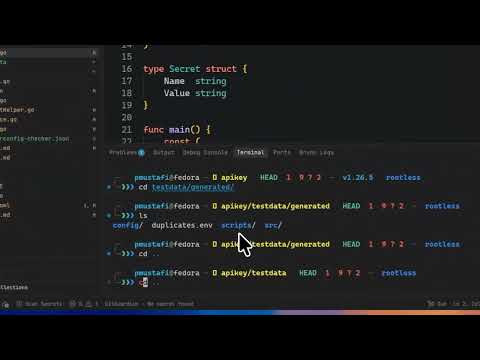
ensor demo 1
Section titled “ensor demo 1”
ensor demo of secret conversion
Section titled “ensor demo of secret conversion”ensor can convert between any format of env files. Convert dotenv, YAML, TOML, JSON, etc interchangeably.

License: apache-2.0



ensor is a fast, interactive CLI tool for detecting and redacting secrets from your codebase and managing environment variable configurations — ensuring leaked API keys, tokens, and credentials never make it into a commit, screenshot, or public release.
By default, ensor extracts discovered secrets into a .env file and substitutes them with customizable placeholders across your project, but also includes a versatile converter for .env, JSON, YAML, and TOML.
✨ Features
Section titled “✨ Features”- 🔍 Secret scanning & redaction — walks all files and directories and redacts secrets automatically
- 🔄 Format conversion — convert between
.env, JSON, YAML, TOML, and more - 📁 Smart skipping — dot-prefixed files like
.envand.git/*are ignored by default - 🎨 Beautiful TUI — interactive prompts built with huh and bubbletea
- ⚡ Zero config — no config files, no setup. Just run it.
🎬 Demo
Section titled “🎬 Demo”Watch ensor in action:
📦 Installation
Section titled “📦 Installation”Homebrew
Section titled “Homebrew”brew trust --cask pratyay360/tap/ensorbrew install pratyay360/tap/ensormise use github:pratyay360/ensor@latestcurl (automated install script)
Section titled “curl (automated install script)”curl -sSL https://raw.githubusercontent.com/Pratyay360/ensor/main/install.sh | shgoblin
Section titled “goblin”curl -sf http://goblin.run/github.com/pratyay360/ensor | PREFIX=~/.local/bin shGo Install
Section titled “Go Install”go install github.com/Pratyay360/ensor@latestscoop bucket add pratyay360 https://github.com/pratyay360/scoop-bucketscoop install pratyay360/ensorWinget (not yet available)
Section titled “Winget (not yet available)”winget install pratyay360.ensorPrebuilt Binaries & Packages
Section titled “Prebuilt Binaries & Packages”Download ready-to-run binaries or .deb, .rpm, and .apk packages from the
Releases page for Linux, macOS, Windows, and FreeBSD.
🚀 Usage
Section titled “🚀 Usage”1. Scan and Censor Secrets
Section titled “1. Scan and Censor Secrets”Scan the current directory:
ensorThat’s it. ensor walks all the files and directories in your project and redacts the secrets from them.
By default, ensor skips scanning any file or directory that starts with a trailing dot, like .env, .env.json, or .git/* — so your actual secret files stay untouched.
Run
ensor --helpto see all available options.
Convert env files
Section titled “Convert env files”ensor convert converts between any format of env files. Convert .env, YAML, TOML, JSON, and more — interchangeably.
Live demos
Section titled “Live demos”ensor in action
ensor convert
🤝 Contributing
Section titled “🤝 Contributing”Contributions are always welcome! Feel free to open an issue or submit a pull request.
📄 License
Section titled “📄 License”Licensed under the Apache-2.0 license.
💎 Acknowledgements
Section titled “💎 Acknowledgements”Special thanks to these amazing open-source projects:
- betterleaks — High-performance secret detection engine
- huh — Interactive prompt and form toolkit
- bubbletea — Terminal UI runtime
- lipgloss — Style definitions for terminal applications